Find the right plan for your needs

VK video to text
Drag a file here or click to upload
Audio, video and archives
Rated 5 out of 5 on Trustpilot
Try for free without signing up


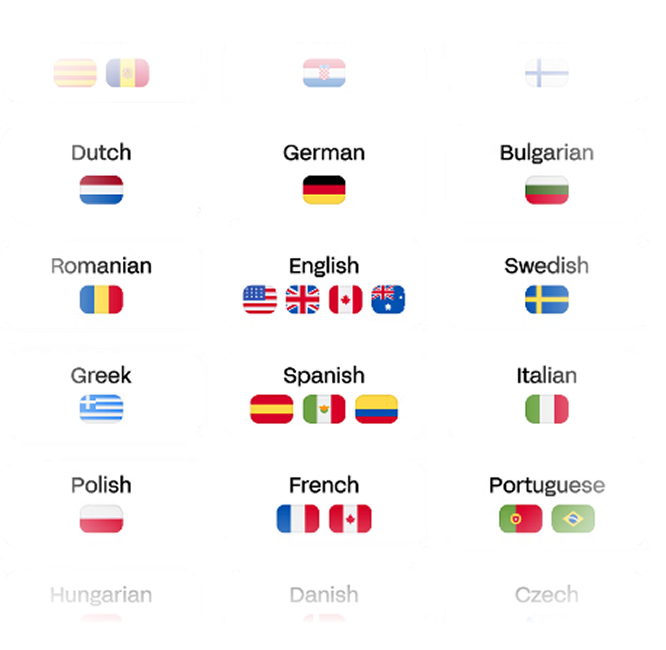
90+ languages
Upload audio or video in any format, or paste a link. Recordings of any duration can be processed.
Click Convert and Guru Scribe will turn your audio or video into a text document in your chosen format.
Choose DOCX, XLSX, PDF, VTT, SRT, TXT or another format and click Download.
Hours transcribed
Productivity increase
Regular users
To process one hour
Built for every task
Students and
researchers
Automatically transcribe lectures, seminars and focus groups. Turn hours of audio into structured notes for research in minutes. Use keyword search to find important passages from courses or research interviews.
Sales and
support teams
Transcribe customer calls and meetings for analysis and quality control. Find successful scripts, analyze objections and train new staff. Copy transcripts into your CRM. Accelerate onboarding and improve sales conversion using real data.
HR specialists
and recruiters
Convert candidate interviews into structured text. Find answers by keyword without replaying recordings. Build a candidate knowledge base and share transcripts with hiring managers. Reduce interview processing time by up to three times.
Leaders and managers
Automate meeting and call minutes. Share outcomes with your team and record tasks and goals while retaining the discussion context. Save up to four hours of management time per week.
Journalists and bloggers
Turn interviews, podcasts and videos into text for articles, posts and scripts. Automatic speaker identification and timestamps help you find quotes quickly. Speed up content production without repeatedly listening to recordings.
Lawyers and legal teams
Transcribe hearings, interviews and client consultations for review and preparation of legal documents. The service recognizes legal terminology. Review transcripts against the recording before using them in official documents.
Guru Scribe features
Speed
One hour of audio transcribed in an average of 27 seconds.
Speaker separation
Automatically detects voices and labels who said what.
AI summary
Creates a concise transcript summary to save reading time.
Automatic punctuation
Adds punctuation and paragraphs for easy reading.
One-click subtitles
Generates SRT, VTT and other formats for videos and podcasts.
100+ formats
Supports audio and video including MP3, WAV, MP4, MKV, FLAC and more.
Multilingual
Transcribe audio and video in any language with high accuracy.
- 90+ languages
- Accent recognition
- Ideal for interviews, lectures, podcasts and meetings
Speaker 1
01:02:43Transcribe audio and video in any language with high accuracy.
Speaker 2
01:05:43Transcribe audio and video in any language with high accuracy.
Speaker 1
01:08:43Transcribe audio and video in any language with high accuracy.
Automatic speaker separation
Each voice is recognized and speech is assigned to its speaker.
- Identifies each participant
- Labels who said what
- Adds timestamps for each speaker
AI summary
Our AI automatically creates concise, structured summaries of audio and video transcripts, highlighting the key points.
Ideal for:
- Leaders and managers
- Sales and support teams
- HR and recruiters
- Analysts and specialists
- Students

Plans for every need
No automatic charges — you control your subscription.
Frequently asked questions
Troubleshooting transcription errors
Popular
Audio to textVideo to textYouTube transcriptionInstagram transcriptionTikTok transcriptionZoom transcriptionGuru Scribe
Transcription APITerms of ServicePrivacy PolicyCookie PolicyRefunds and WithdrawalLegal NoticeSitemapInformation
Zaur Ismailov pr Beograd
12 Cika Ljubina Street, 3rd floor11102 Belgrade (Stari Grad), Serbia
MB: 68768551
PIB: 115944295

Guru Scribe. All rights reserved.